
Introduction
This is the spam lead problem in Meta Ads, and it’s costing businesses far more than they realise. Not just wasted budget, but poisoned CRM data, burned-out salespeople, and an algorithm that keeps learning from junk. The fix isn’t to spend more. It’s smarter signals.
You’ve done everything right. The campaign is live, the creative is sharp, and the targeting is set. Then your sales team calls. “Wrong numbers. Fake emails.
People who’ve never heard of us.”

Why Does Meta Generate So Many Spam Leads?
Meta is built for volume. Its native lead forms let users submit with two taps using pre-filled profile data, no friction, no intent filter. That convenience is exactly what bots, click farms, and zero-intent users exploit.
The Main Culprits
Bots & automated scripts Mass-fill forms in seconds, bypass basic CAPTCHA, and make your dashboard look great while delivering zero revenue.
Click farms: low-paid workers manually submitting forms at scale. Harder to detect than bots because real human behaviour is involved.
Zero-intent users: real people who tapped out of curiosity or boredom. No purchase intent, no recall when sales calls.
Meta Audience Network Third-party apps and spam sites join this network specifically to generate fake form fills and collect Meta’s advertiser payouts.
Competitor interference. In high-stakes industries like real estate, SaaS, and finance, competitors deliberately submit fake forms to drain your budget and distort your data.
What Spam Leads in Meta Ads Actually Cost You
- Budget waste 40–50% of fake submissions means nearly half your ad spend generates nothing
- Sales burnout: Hours spent chasing disconnected numbers and uninterested contacts
- Algorithm poisoning Meta learns from your conversions. Send junk, get more junk in return
- Broken lookalike audiences. Your best audiences get built on fraudulent data
Email deliverability damage. Fake addresses cause bounces that destroy your sender’s reputation
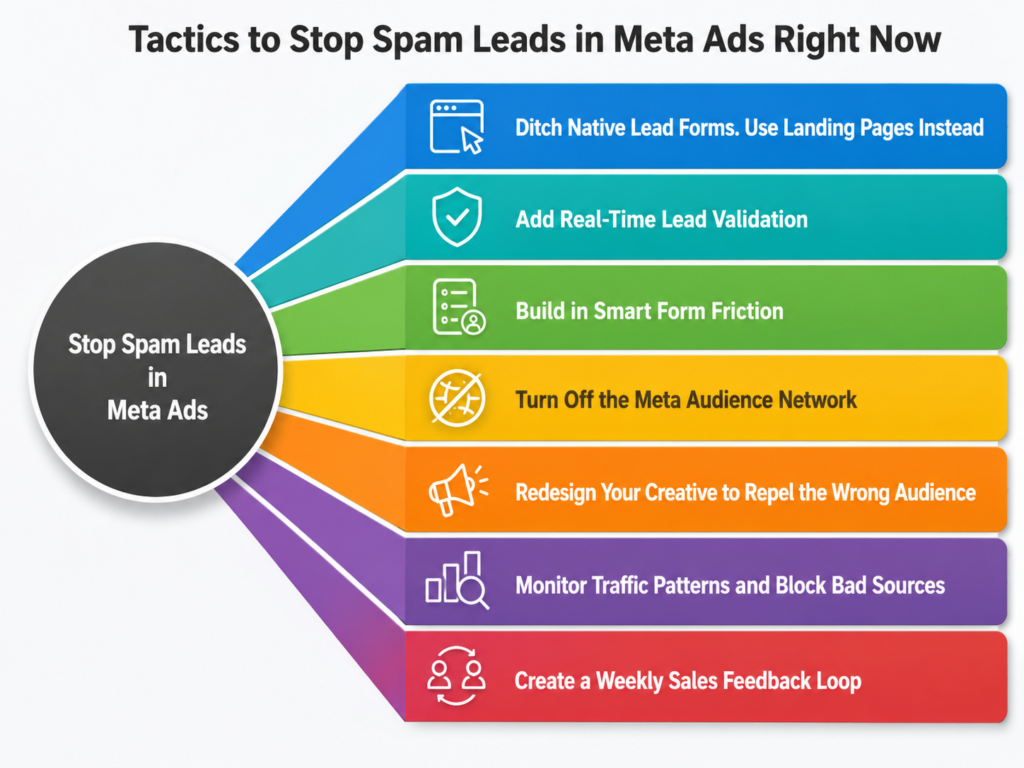
Tactics to Stop Spam Leads in Meta Ads Right Now
Ditch Native Lead Forms. Use Landing Pages Instead
Native forms remove all friction. Move your traffic to a dedicated landing page where users must type their details manually. You get cleaner data, behavioural signals, and full control over the form environment.
Add Real-Time Lead Validation
Deploy tools that check every submission at the point of capture, phone validity, email deliverability, duplicate detection, and IP reputation. Assign a quality score. Anything below the threshold never reaches your CRM.
Build in Smart Form Friction
- Require a work email reject Gmail, Yahoo, Hotmail
- Add company name, industry, job title, and company size fields
- Use reCAPTCHA v3 (invisible to real users, effective against bots)
- Add OTP verification via phone or email
Genuine buyers don’t mind these steps. Bots can’t complete them.
Turn Off the Meta Audience Network
Go to Placements in your campaign settings and manually exclude the Audience Network. Spam sites exploit this placement to generate bot-driven form fills. Switching it off is one of the fastest ways to immediately cut junk volume.
Use the Meta Conversions API, But Send the Right Events
Please connect your CRM to Meta via CAPI and send only quality events, not every raw form fill. Send:
- Marketing Qualified Lead (MQL)
- Sales Qualified Lead (SQL)
- Demo Booked
- Opportunity Created
When Meta’s algorithm learns from real buyers instead of form submissions, it finds more users who look like real buyers. Teams doing this typically see SQL quality improve 20–40% with no increase in spend.
Layer Your Targeting. Stop Relying on One Signal
Broad targeting breeds spam leads. Combine:
- Intent layer interests and behaviours aligned with your product
- Firmographic layer job titles, industries, and company size for B2B
- CRM data layer lookalikes built from verified customers, not raw leads
Also, audit your geographic data. If certain regions consistently deliver junk, exclude them.
Redesign Your Creative to Repel the Wrong Audience
Generic ads attract generic and often fake submissions. Build creatives that pre-qualify:
- Call out your target role or industry directly
- Use product screenshots, not lifestyle imagery
- Lead with pain points that only your ideal customer recognises
- Avoid heavy incentives that attract zero-intent browsers
When the messaging is specific, the wrong audience opts out before they even click.
Monitor Traffic Patterns and Block Bad Sources
Watch for: multiple submissions from the same IP, very short page sessions with form completions, spikes in lead volume with no corresponding sales conversations, and submissions at abnormal hours. When you spot patterns, block proactively, flag IPs, exclude placements, and build exclusion lists.
Create a Weekly Sales Feedback Loop
Your sales team knows what junk looks like. Build a simple tagging system in your CRM: wrong industry, uncontactable, no brand recall, obvious bot. Feed this back weekly into your targeting, creative, and exclusion strategy. The compounding effect over 30–60 days beats any one-time technical fix.
Quick Wins: Do These Today
- Disable Meta Audience Network in all active campaigns
- Switch from native lead forms to a manual-entry landing page
- Add OTP verification and reject free email domains
- Send only MQL/SQL events via the Conversions API
- Rebuild lookalike audiences from verified customers only
- Brief sales to tag lead quality reasons in the CRM
Conclusion
Spam leads in Meta Ads don’t stay in the CRM; they corrupt your metrics, burn your budget, and teach the algorithm to find more of the wrong people.
The solution is layered: capture leads on pages you control, validate them in real time, and feed Meta only signals from real buyers. Do that consistently, and junk lead rates typically fall 40–70% within 60 days without touching your budget.
Stop the spam. Fix the signals. Let Meta’s algorithm finally work for you.